One finished desktop. Nothing to configure.
TelluriumOS is a desktop operating system based on FreeBSD. It has its own glass interface, runs Linux software without you setting anything up, and can roll back any update.
- Kernel boots
- Rust kernel modules working
- Interface prototyped
- Developer preview not yet released
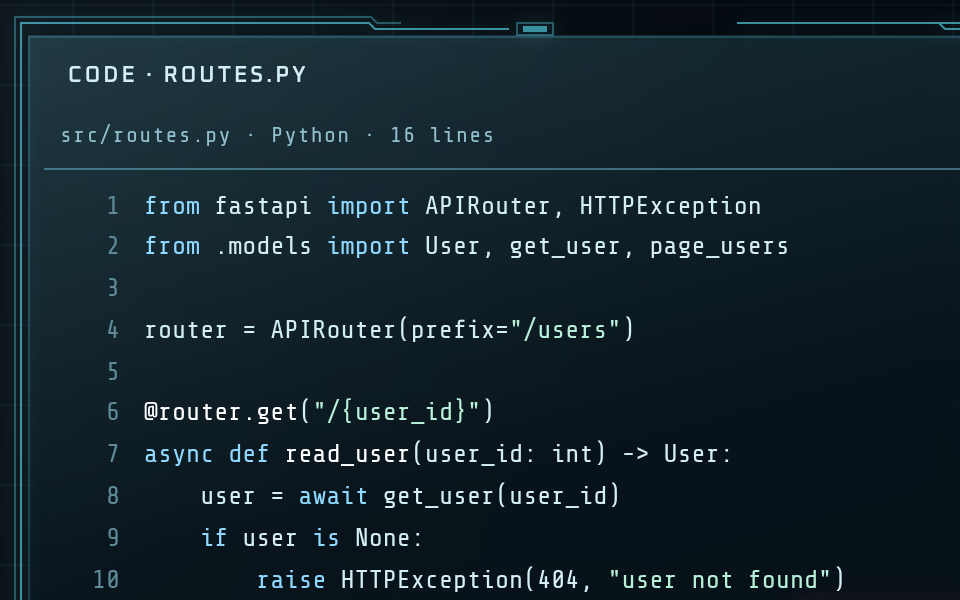
Cropped pictures of the Glasswall interface prototype. The sample content is illustrative.
Tellurium // What it is
A single, opinionated desktop. The kernel is ours to change, so the whole system can be built and tested as one thing.
Native first
Tools and apps run natively wherever they can. Linux is used only for what cannot be native, such as Linux containers, and it starts on demand without you asking for it.
Linux reach, no setup
You type docker or open a Linux app and it works. There is no distro to choose, no second desktop and no virtual machine to manage.
Every update can be undone
The system lives on ZFS. Each update is installed next to the running system, and the previous one is kept, so a bad update is one restart away from gone.
Security at the boundary
A broker checks what each app may reach: files, network, devices and the clipboard. It builds on FreeBSD jails and Capsicum.
New code in Rust
Everything new is written in Rust, including new kernel code, which sits behind a small audited wrapper layer. C is used only to patch existing C.
Pay once
The OS is a one-time licence, not a subscription. Optional services that keep doing work for you, such as backup and sync, are separate.
Glasswall // The desktop
The desktop is part of the product, not a theme on top of it. Glasswall tiles your main windows, lets dialogs float, and uses one colour for signal and red only when something needs you.
- Main windows tile
- New windows join the wall. The first takes the large pane and the rest share the other side.
- Dialogs float
- A dialog floats over the wall and stays linked by a line to the window it belongs to.
- Pull to focus
- Bring one window forward. The rest dim and its place on the wall is held for it.
- Snapping
- Drag to an edge or pick a layout. The tiled wall re-flows into the space left over.
- Immersive mode
- One window takes the whole screen. Only security alerts break through.
- Sharp text at rest
- Windows do not scale or tilt when still, so text stays crisp.
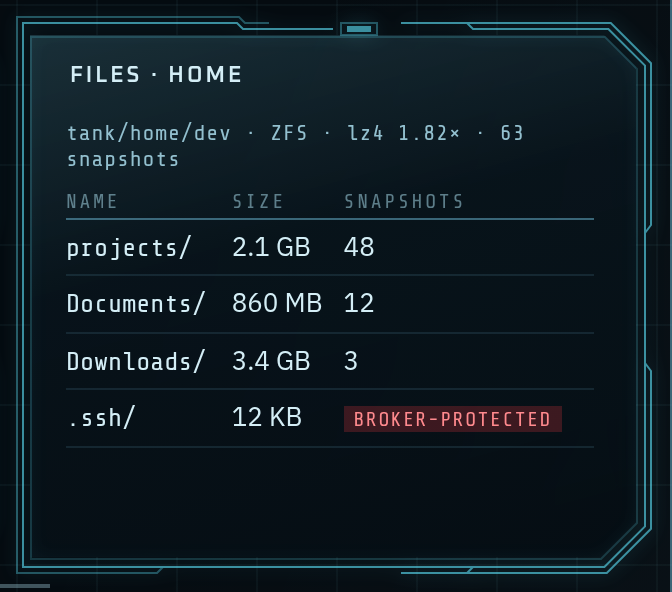
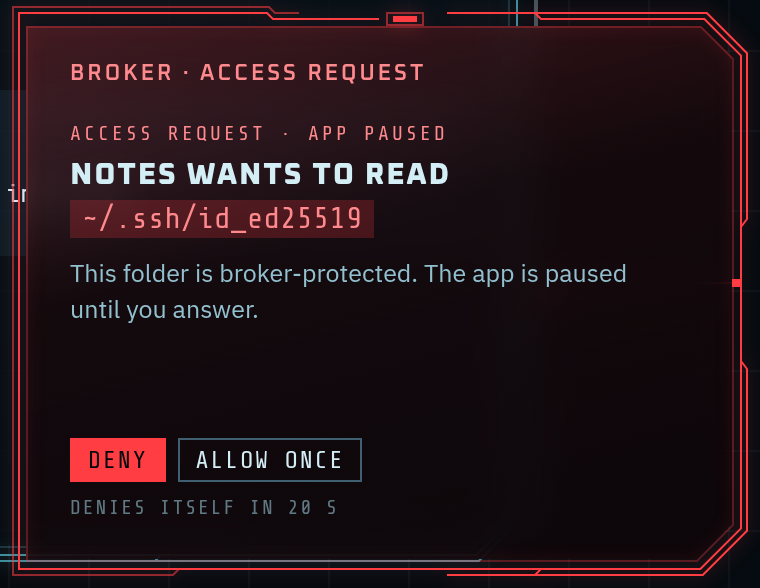

These are small crops of a design prototype. The compositor that will draw the real desktop is not built yet.
Built with Claude // Built to use it
Tellurium uses Anthropic's Claude in two ways: to write the system today, and, as a planned feature, to explain the system to the person using it.
Claude writes the code
Tellurium is developed by one person directing Claude, which writes the code. Design decisions are made and recorded by a human. Because the code is model-written, it is checked hard:
- Unit tests on the host and module tests in a virtual machine
- Debug kernels with memory, lock-order and undefined-behaviour checkers
- Kernel fuzzing with syzkaller
- Licence and advisory checks, and a bill of materials, on every build
- An independent expert audit of kernel code before the first public release
Ask the system what happened
An operating system knows a great deal about itself and explains almost none of it. Tellurium will use Claude to turn what the system already records into a plain answer.
- Explain. Reads a failed command, a crash or an update log and says what went wrong and what to do.
- Trace. Turns a question into a read-only DTrace probe, runs it, and explains the result.
- Opt-in. Off by default. You see exactly what will be sent before it leaves your machine.
The commands above show the intended design. They are not available yet.
Status // Where it is now
Tellurium is early. Development started in October 2026 and there is nothing to download yet. This is the plan, in order.
| Stage | Goal | What it means | State |
|---|---|---|---|
| M0 | Foundations | Kernel build and test loop, Rust in the kernel, safety tooling | In progress |
| M1 | Native-first toolchain | A developer can work all day without noticing Linux | Planned |
| M2 | Glasswall compositor | The prototype's behaviour as real windowing | Planned |
| M3 | Developer preview | First public release: free, runs as an app on macOS, Windows and Linux | Planned |
| M4 | First sales | Licences, backup and sync, fleet management for companies | Planned |
| M5 | Real hardware | Installer, drivers, sleep, a list of supported laptops | Planned |
| M6 | Gaming | Windows games through a native compatibility layer | Planned |
Working today
- The Tellurium kernel builds and boots on x86-64, and cross-builds for ARM64
- Rust kernel modules with locks, timers, device files and settings, loaded and stress-tested
- Jails on ZFS clones, boot environments, DTrace and Capsicum verified on our kernel
- The Glasswall prototype and its design tokens
Honest limits
- Games that need kernel anti-cheat will not run
- NVIDIA features depend on what NVIDIA supports
- Hardware support will start with a short list of tested laptops
- Some software will always need the Linux side
Preview // Hear when it is ready
The developer preview will be free. Send a message and we will write once, when it can be downloaded.